Best Completely Free AI Tools in 2026: Build Your Full AI Stack at Zero Cost
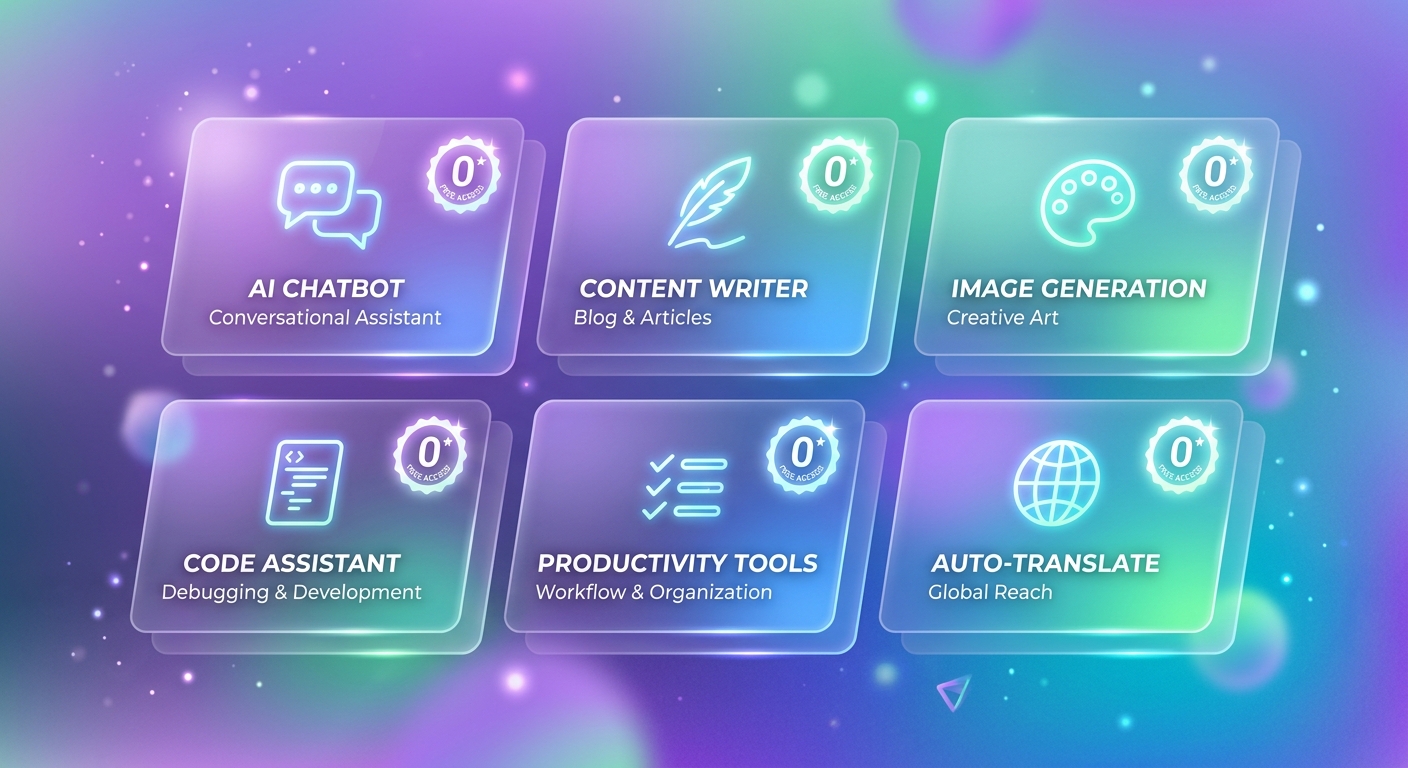
TL;DR: In 2026, you can build a fully capable AI workflow at zero cost using genuinely free tools across chat, image generation, coding, and productivity, with no trials, paywalls, or credit card requirements.
Have you ever searched for “free AI tools,” clicked through, and found nothing but “7-day free trial” or “10 free credits per month” — only to hit a paywall after two days?
This guide is a truly free AI tools recommendation — only tools with zero cost, no trial timers, no hidden credit card requirements, and core features available long-term. We’ve organized everything by five key use cases: chat, image generation, coding, and productivity. At the end, you’ll find curated zero-cost AI stacks tailored to different types of users, so you can build a capable AI workflow for ¥0.
What Does “Completely Free” Actually Mean? Our Criteria
Three Requirements Every Tool Must Meet
Every tool in this guide must satisfy all three of the following:
- No credit card required: Sign up and start using — no payment info needed
- No trial period: Not “free for 14 days” — a permanently free tier that doesn’t expire
- Core features genuinely usable: The free version can handle real work, not just a demo
What Gets Excluded
The following types of tools are not covered here:
- ChatGPT Free: GPT-4o has strict daily usage limits that can be tightened at any time — not reliable enough
- Midjourney: Free trial has been removed; a paid subscription is now required
- Claude.ai Free: Daily message limits are extremely low — practically unusable for heavy users
- Notion AI: The base Notion is free, but AI features cost extra
- “Limited-time free” tools: Once the promotion ends, so does the free access
The Real Limitations of Free Tools
Completely free doesn’t mean no limitations at all. Here’s an honest look at common constraints:
- Rate limits: Slower responses during peak hours; some tools have daily request caps
- Context length: Free tiers typically support shorter conversation contexts than paid plans
- Feature caps: Advanced features (stronger models, more storage) usually require payment
- Stability: Free users get lower server priority, so performance can dip when servers are busy
Understanding these trade-offs helps you plan your usage realistically — and keeps you from being misled by the word “free.”
2026 Completely Free AI Tools: Full Overview Table
| Tool | Category | Free Allowance | Requires VPN | Verified Date |
|---|---|---|---|---|
| DeepSeek | Chat/Writing | Unlimited (web) | No | 2026-04-20 |
| Doubao | Chat/Writing | Unlimited | No | 2026-04-20 |
| Kimi | Chat/Writing | ~200/day | No | 2026-04-20 |
| Tongyi Qianwen | Chat/Writing | Unlimited | No | 2026-04-20 |
| Google Gemini | Chat/Writing | Daily limit (generous) | Yes | 2026-04-20 |
| Perplexity AI | Research/Search | 5 Pro searches/day; unlimited standard | Yes | 2026-04-20 |
| Google NotebookLM | Research/Search | Completely free | Yes | 2026-04-20 |
| Jimeng AI | Image Generation | Daily free credits | No | 2026-04-20 |
| Ideogram | Image Generation | 10 free images/day | Yes | 2026-04-20 |
| Stable Diffusion (local) | Image Generation | Completely free (requires local GPU) | No | 2026-04-20 |
| Codeium | Coding | Completely free for individuals | Yes | 2026-04-20 |
| CodeGeeX | Coding | Completely free | No | 2026-04-20 |
| GitHub Copilot Free | Coding | 2,000 completions + 50 chats/month | Yes | 2026-04-20 |
| iFlytek | Productivity | Monthly free transcription time | No | 2026-04-20 |
| Canva Free | Productivity/Design | Free templates + basic AI features | Yes | 2026-04-20 |
| CapCut | Video Editing | Core AI features free | No/Yes (international) | 2026-04-20 |
For more domestic free tools, check out: 2026 Complete List of Free Chinese AI Tools with No Usage Limits
Free AI Chat and Writing Tools
DeepSeek
Free allowance: Unlimited on the web version (verified 2026-04-20)
VPN required: No
DeepSeek is one of the most generous free large language models available in China right now. The web version at chat.deepseek.com requires nothing more than a registration — no payment needed. It handles long-form text, code generation, and mathematical reasoning, and ranks among the strongest domestic models overall. The DeepSeek-R1 reasoning model is also available to regular users for free, and it shines on complex logical problems.
Best for: Long-form writing, code debugging, complex analysis
Main limitations: Occasional queues during peak hours; API access requires separate payment (web version stays free)
Doubao
Free allowance: Unlimited (verified 2026-04-20)
VPN required: No
Doubao (doubao.com), from ByteDance, is one of the most widely used free AI assistants in China. It supports multimodal input (text and images), has smooth conversational flow, and comes with a variety of built-in persona and scenario templates for everyday use. The mobile app is also well-polished.
Best for: Daily Q&A, content creation, image understanding
Main limitations: Deep reasoning is weaker than DeepSeek; long-document context has limits
Kimi
Free allowance: ~200 conversations per day (verified 2026-04-20)
VPN required: No
Moonshot AI’s Kimi (kimi.moonshot.cn) is known for its extra-long context window. The free version lets you upload PDFs, Word files, and other documents for analysis — and can process documents up to around 200,000 Chinese characters in length. For anyone who needs to read through long documents or review academic literature, Kimi is the standout choice among free tools.
Best for: Reading long documents, academic literature review, contract analysis
Main limitations: Daily usage cap; can be slow during peak hours
Tongyi Qianwen
Free allowance: Unlimited (verified 2026-04-20)
VPN required: No
Alibaba Cloud’s Tongyi Qianwen (tongyi.aliyun.com) offers a well-rounded free tier with multimodal input (text, images, documents) and a built-in image generation feature called Tongyi Wanxiang. If you want a single free tool that covers as many bases as possible, Tongyi Qianwen has one of the broadest free-tier feature sets available.
Best for: General writing, image generation, document processing
Main limitations: Some advanced features (such as longer context) require the paid plan
Google Gemini
Free allowance: Daily limit, but fairly generous (verified 2026-04-20)
VPN required: Yes
Google Gemini (gemini.google.com) free tier runs on the Gemini 1.5 Flash model, supports multimodal input, and integrates deeply with the Google ecosystem (Gmail, Docs, Drive). For users who already have a Google account, Gemini is one of the strongest all-around free AI options outside China.
Best for: English writing, Google Docs assistance, multimodal analysis
Main limitations: Requires VPN; access from mainland China can be unstable
For a side-by-side comparison of free AI writing tools, see: Best Free Chinese AI Writing Tools in 2026
Free AI Research and Information Retrieval Tools
Perplexity AI
Free allowance: Unlimited standard searches; 5 Pro searches per day (verified 2026-04-20)
VPN required: Yes
Perplexity AI (perplexity.ai) is one of the best AI-powered search engines available right now. It retrieves real-time information from the web and returns answers with cited sources, which dramatically cuts down on AI hallucinations. The free tier’s standard search mode has no usage limit, making it more than sufficient for everyday research.
Best for: Real-time information lookups, academic research, fact-checking
Main limitations: Pro search (stronger model) is limited to 5 times per day; requires VPN
Google NotebookLM
Free allowance: Completely free (verified 2026-04-20)
VPN required: Yes
Google NotebookLM (notebooklm.google.com) is a Gemini-powered document analysis tool. You can upload PDFs, web pages, YouTube videos, and other sources, then ask questions, generate summaries, or even create a podcast-style audio overview from those materials. It’s completely free and unlike anything else out there — a genuinely useful research and learning companion.
Best for: Literature organization, study notes, synthesizing information from multiple sources
Main limitations: Requires VPN; there’s a cap on the number of files you can upload
Free AI Image Generation Tools
Jimeng AI
Free allowance: Daily free credits good for roughly 4–8 images (verified 2026-04-20)
VPN required: No
ByteDance’s Jimeng AI (jimeng.jianying.com) has the most consistently available free credits among domestic Chinese AI image tools. It supports text-to-image, image-to-image, and AI video generation, and the output quality is top-tier for a domestic product. You can claim free credits by logging in each day — more than enough for casual use.
Best for: Social media visuals, creative design, content creation
Main limitations: Daily free credits are limited; high-resolution outputs use more credits
For a deeper comparison of AI image generation tools, see: 2026 Comprehensive Review of the Best AI Image Generation Tools
Ideogram
Free allowance: 10 free image generations per day (verified 2026-04-20)
VPN required: Yes
Ideogram (ideogram.ai) excels at text rendering — it’s the best free AI image tool for situations where your image needs to include readable text. Ten free images per day is plenty for light users.
Best for: Text-heavy poster design, logo concepts, brand visuals
Main limitations: Requires VPN; daily limit resets the next day
Stable Diffusion (Local Deployment)
Free allowance: Completely free, unlimited usage (verified 2026-04-20)
VPN required: No (model downloads may require one)
Stable Diffusion is an open-source AI image model that you run locally through interfaces like AUTOMATIC1111 or ComfyUI. Once set up, it’s entirely free with no usage limits. The trade-off is a moderate technical barrier and the need for a local GPU (NVIDIA recommended, 8GB+ VRAM).
Best for: High-volume image generation, custom style training, privacy-sensitive content
Main limitations: Requires local GPU hardware and some technical setup
Free AI Coding Tools
Codeium
Free allowance: Completely free for individual users, no usage limits (verified 2026-04-20)
VPN required: Yes
Codeium (codeium.com) is one of the most worthwhile free AI coding assistants for individual developers. It supports VS Code, JetBrains, Vim, and other popular IDEs, offering code completion, conversational coding, and code explanations — all with no usage cap on the free personal plan.
Best for: Everyday coding assistance, code completion, code review
Main limitations: Requires VPN; team collaboration features require a paid plan
CodeGeeX
Free allowance: Completely free (verified 2026-04-20)
VPN required: No
CodeGeeX (codegeex.cn) is an open-source AI coding assistant jointly developed by Tsinghua University and Zhipu AI. It supports VS Code, JetBrains, and other popular IDEs, and it handles Chinese code comments and Chinese-language development contexts better than most international alternatives. Completely free, no VPN needed — the top pick for developers in China.
Best for: Everyday coding in China, Chinese-comment codebases, Python/Java/Go and other mainstream languages
Main limitations: Model capability is weaker than GitHub Copilot; complex code generation quality lags behind
GitHub Copilot Free
Free allowance: 2,000 code completions + 50 chat interactions per month (verified 2026-04-20)
VPN required: Yes
GitHub officially launched a free tier of Copilot in late 2024, powered by GPT-4o and Claude 3.5 Sonnet. The 2,000 monthly completions are sufficient for light developers, and the VS Code integration is seamless.
Best for: Light coding assistance, code completion, simple code generation
Main limitations: Monthly limits apply; heavy users will need the paid plan ($10/month)
Free AI Productivity Tools
iFlytek (讯飞听见)
Free allowance: Monthly free transcription time (verified 2026-04-20)
VPN required: No
iFlytek’s transcription service (iflyrec.com) is one of the best AI speech-to-text tools available in China. Recognition accuracy is high, multiple dialects are supported, and the free tier includes a monthly allowance of transcription time. For meeting notes and interview transcription, the free plan covers most needs.
Best for: Meeting notes, interview transcription, voice memos
Main limitations: Monthly free time is capped; going over requires payment
Canva Free
Free allowance: Free template library + basic AI features (verified 2026-04-20)
VPN required: Yes
Canva (canva.com) free tier gives you thousands of design templates along with basic AI image generation and background removal. For users who don’t need premium features, the free version is more than adequate. Accessible from China, though it may load slowly.
Best for: Social media graphics, presentations, simple poster design
Main limitations: Premium templates and advanced AI features require Canva Pro
CapCut (剪映)
Free allowance: Core AI video editing features are free (verified 2026-04-20)
VPN required: No for the Chinese version (剪映); Yes for the international version (CapCut)
CapCut / 剪映 includes AI-powered features like automatic captions, AI voiceovers, smart editing, and background removal — all available to free users. For content creators, this is the most fully featured free AI video tool available right now.
Best for: Short video editing, automatic subtitles, AI dubbing
Main limitations: Some advanced AI effects require payment to unlock
For more AI productivity tool recommendations, see: 2026 AI Productivity Tools: 15 Efficiency Boosters Worth Using
The Best Free AI Tool Stacks by User Type
Students — Free AI Stack (Monthly Cost: ¥0)
| Use Case | Recommended Tool | Why |
|---|---|---|
| Essay writing | DeepSeek + Kimi | DeepSeek for writing; Kimi for reading papers |
| Literature search | Perplexity AI | Cited sources reduce hallucinations |
| Document organization | Google NotebookLM | Multi-source note synthesis |
| Image creation | Jimeng AI | Works in China; daily free credits |
| Presentation design | Canva Free | Rich templates, easy to use |
Monthly cost: ¥0
VPN needed: Perplexity + NotebookLM + Canva require it; the rest don’t
Content Creators — Free AI Stack (Monthly Cost: ¥0)
| Use Case | Recommended Tool | Why |
|---|---|---|
| Copywriting | Doubao + Tongyi Qianwen | Complementary strengths, different tones |
| Image generation | Jimeng AI + Ideogram | Jimeng for scenes; Ideogram for text-in-image |
| Video editing | CapCut (剪映) | AI captions + voiceover, doubles efficiency |
| Topic research | Perplexity AI | Real-time trending topic search |
| Cover design | Canva Free | Fast turnaround |
Monthly cost: ¥0
VPN needed: Ideogram + Perplexity + Canva require it; the rest don’t
Developers — Free AI Stack (Monthly Cost: ¥0)
| Use Case | Recommended Tool | Why |
|---|---|---|
| Code completion | CodeGeeX (China) / Codeium (abroad) | Choose based on your network environment |
| Code chat | DeepSeek | Strong coding capability, no usage limits |
| Technical docs | Kimi | Long-document reading; upload PDFs for analysis |
| Code review | GitHub Copilot Free | 2,000 completions/month works for light use |
| Technical search | Perplexity AI | Sourced answers for technical questions |
Monthly cost: ¥0
VPN needed: Codeium + GitHub Copilot + Perplexity require it; the rest don’t
Professionals — Free AI Stack (Monthly Cost: ¥0)
| Use Case | Recommended Tool | Why |
|---|---|---|
| Daily Q&A | Doubao | Simple to use; excellent mobile experience |
| Document processing | Tongyi Qianwen | Accepts document uploads; handles everything in one place |
| Meeting notes | iFlytek | Speech-to-text with high accuracy |
| Presentations | Canva Free | Rich templates, quick output |
| Information search | DeepSeek | Strong all-round capability, no usage limits |
Monthly cost: ¥0
VPN needed: Canva requires it; the rest don’t
For a broader ranking of domestic AI tools, see: 2026 Chinese AI Tool Rankings: Comparing 8 Domestic AI Models
Free vs. Paid: When Is It Worth Upgrading?
A fully free tool stack covers the majority of everyday needs — but here are situations where paying actually makes sense:
1. You use it constantly: If you’re generating large amounts of content every day, rate limits on free plans will become a real bottleneck. Paid plans offer priority queues and higher limits that are worth the investment.
2. You need more powerful models: Free tiers usually run smaller or older models. For professional use cases that demand high-quality output — commercial copywriting, complex code — the gap between free and paid is noticeable.
3. You need team collaboration: Most free tiers are for individual use only. Shared workspaces, permission management, and team features typically require a paid plan.
4. You have data privacy requirements: Enterprise-grade data privacy protection is usually only available on paid plans. Keep this in mind when handling sensitive business information.
5. You need API access: Most tools in this guide only offer free access through the web interface. If you need to integrate them into your own products via API, you’ll generally need to pay.
A practical rule of thumb: if a tool saves you more than two hours per week, the paid version is usually worth it.
FAQ
Q1: Do these free tools really not require a credit card?
All the domestic Chinese tools in this guide (DeepSeek, Doubao, Kimi, Tongyi Qianwen, Jimeng AI, CodeGeeX, iFlytek) only require a phone number to register — no credit card needed. International tools (Gemini, Perplexity, NotebookLM, Codeium, Ideogram, Canva) require a Google account or email address, but also no credit card.
Q2: Is my data safe with free tools?
Free tools often use conversation data for model training (policies vary by provider). When handling sensitive information, it’s a good idea to: ① read each tool’s privacy policy; ② avoid inputting real personal data or trade secrets; ③ consider locally deployed options like Stable Diffusion or open-source models.
Q3: Which tools can I use in China without a VPN?
The following completely free tools work without a VPN: DeepSeek, Doubao, Kimi, Tongyi Qianwen, Jimeng AI, CodeGeeX, iFlytek, and CapCut (剪映). These eight tools cover the main use cases — chat, image generation, coding, and productivity — so users in China can build a complete free AI stack without needing to bypass restrictions.
Q4: Which is better, DeepSeek or Doubao?
They serve different purposes. DeepSeek is stronger for logical reasoning, code generation, and long-form writing. Doubao is better for casual conversation, multimodal interaction, and mobile use. We’d recommend registering for both and switching based on the task.
Q5: Is the image quality from free AI image tools good enough?
For social media visuals and content creation, the free tiers of Jimeng AI and Ideogram are absolutely sufficient. If you need commercial-grade quality or need to generate images in bulk, consider locally deploying Stable Diffusion (requires a GPU) or upgrading to a paid plan.
Q6: Could these free policies change?
Yes, they could. AI tool free tiers can be adjusted at any time. The data in this guide was verified on 2026-04-20. We recommend bookmarking this page and checking back for updates. Historically, ChatGPT has tightened its free tier and Midjourney dropped its free trial — but over the same period, more domestic tools have joined the free tier ecosystem, so the overall landscape of free tools continues to expand.
Q7: Is there one tool that can replace all of these?
Not yet. Each tool has a clear edge in its specific use case, and combining them is what gets you the most value. If you could only pick one, DeepSeek has the strongest all-around capability and covers the widest range of use cases — it’s the top single-tool choice.
Summary
In 2026, genuinely free AI tools are now capable enough to build a fully functional stack for everyday needs. The core formula is:
- Chat/Writing: DeepSeek (primary) + Doubao (daily use) + Kimi (long documents)
- Image generation: Jimeng AI (China-friendly) + Ideogram (text-in-image)
- Coding: CodeGeeX (China) / Codeium (international)
- Productivity: iFlytek (voice) + CapCut (video) + Canva (design)
Zero monthly cost. Five use cases covered. This combination meets the vast majority of needs for students, creators, developers, and working professionals alike.
For detailed comparisons of specific AI tool categories, see: 7 Free ChatGPT Alternatives in China for 2026: Pick by Use Case, Avoid the Pitfalls