Best AI Coding Tools 2026: Complete Comparison for Developers
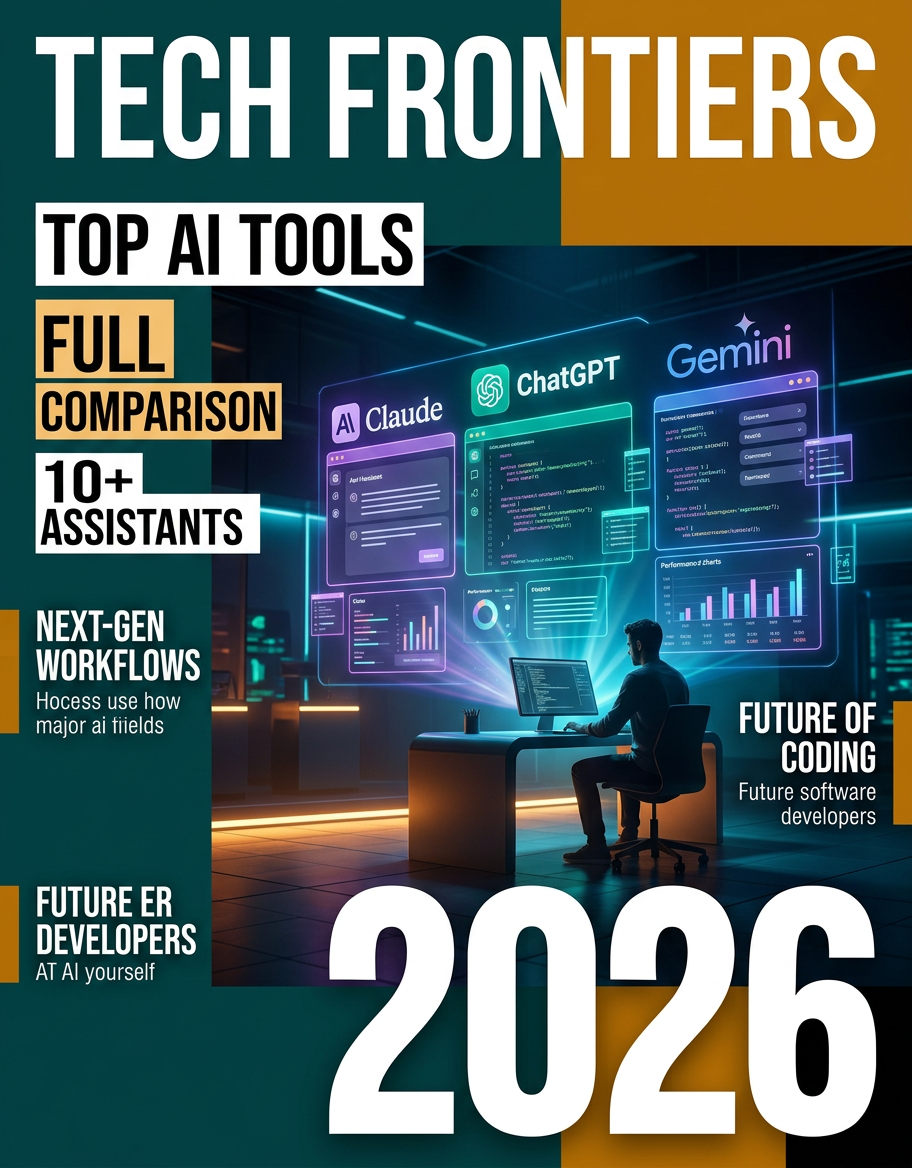
The AI coding tools landscape in 2026 looks nothing like it did eighteen months ago. What started as autocomplete suggestions has evolved into autonomous agents that read entire codebases, run tests, fix their own mistakes, and submit pull requests without human intervention.
Choosing the right tool now means understanding three distinct categories: inline assistants that help you type faster, agentic IDEs that think alongside you, and autonomous agents that work independently. This guide breaks down every major option with real pricing, measured performance, and honest assessments of where each tool excels and where it falls short.
The Three Categories of AI Coding Tools
Before comparing individual tools, understanding the architecture matters more than feature lists.
Editor assistants live inside your IDE and accelerate line-by-line coding. GitHub Copilot pioneered this category. They see your current file, maybe a few related files, and suggest completions.
Agentic IDEs like Cursor and Windsurf fork VS Code and embed AI deeply into the editing experience. They understand project structure, handle multi-file edits through composer modes, and maintain conversation context across sessions.
Autonomous agents like Claude Code operate at the repository level. They run in your terminal, read and write files directly, execute commands, run tests, and iterate on failures without waiting for approval on each step.
A fourth category emerged in 2026: spec-driven IDEs like Amazon’s Kiro, which generate requirements and design documents before writing code, treating the specification as the primary artifact rather than the code itself.
Complete Tool Comparison
| Tool | Category | Starting Price | Context Window | Autonomy Level | Best For |
|---|---|---|---|---|---|
| Claude Code | Autonomous Agent | $20/month | 200k tokens | Very High | Complex multi-file tasks, refactoring |
| Cursor | Agentic IDE | $20/month | 128k tokens | High | Daily IDE workflow, team collaboration |
| GitHub Copilot | Editor Assistant | Free / $10/month | 8k tokens (chat) | Medium | Quick completions, low barrier entry |
| Kiro | Spec-Driven IDE | Free (preview) | 200k tokens | High | Enterprise teams, spec-first development |
| Windsurf | Agentic IDE | $15/month | 128k tokens | High | Budget-conscious developers |
| Devin | Autonomous Agent | $20/month + usage | Full repo | Very High | Repetitive engineering backlogs |
| Cline | Open Source Agent | API costs only | Varies by model | High | Cost transparency, MCP integration |
Claude Code: The Terminal-First Autonomous Agent
Claude Code represents Anthropic’s bet that the best AI coding experience lives in the terminal, not the editor. It reads your entire repository, understands project architecture, and executes multi-step tasks autonomously.
What makes it different: Claude Code doesn’t suggest edits for you to approve one by one. It reads files, makes changes across multiple files simultaneously, runs your test suite, sees failures, and fixes them in a loop. The 200k token context window means it can hold your entire medium-sized project in memory at once.
Real-world performance: In structured testing across production codebases, Claude Code consistently outperforms other tools on complex tasks requiring understanding of multiple interconnected files. Bug fixes that touch 4-5 files, architectural refactors, and migration tasks are where it shines brightest.
Pricing reality: The $20/month Pro plan works for moderate usage. Heavy users report hitting rate limits and needing the $100/month or $200/month tiers. At the higher tiers, you get priority access and significantly more compute time per day.
Best for: Senior developers comfortable in the terminal who work on complex, multi-file problems. Not ideal for beginners who want visual feedback on every change.
Cursor: The IDE That Thinks With You
Cursor took VS Code, forked it, and rebuilt the AI integration from the ground up. The result is an editor where AI isn’t bolted on — it’s woven into every interaction.
Key strengths: Cursor’s Composer mode handles multi-file edits with a chat-driven interface. You describe what you want, it shows diffs across files, and you accept or reject each change. The Tab completion is remarkably context-aware, often predicting your next several lines based on project patterns.
Model flexibility: Unlike Claude Code which uses only Anthropic models, Cursor lets you choose between GPT-4o, Claude Sonnet, and other models depending on the task. This flexibility matters when different models excel at different languages or problem types.
Background agents: In 2026, Cursor introduced parallel background agents that can work on separate tasks simultaneously while you continue coding. This moves it closer to the autonomous agent category while maintaining the IDE-first experience.
Pricing: $20/month for Pro with generous usage limits. Power users report the $60/month tier provides enough headroom for all-day usage without throttling.
Best for: Developers who want AI deeply integrated into their visual editing workflow. Teams that want a standardized AI-enhanced IDE across the organization.
GitHub Copilot: The Universal Starting Point
GitHub Copilot remains the most widely adopted AI coding tool, largely because it requires zero workflow changes. Install the extension, keep coding, and suggestions appear inline.
The 2026 evolution: Copilot has grown beyond autocomplete. Copilot Chat provides a sidebar for longer conversations, Copilot Workspace handles multi-file planning, and the agent mode (still maturing) attempts autonomous task completion. But its core strength remains the frictionless inline experience.
Context limitations: The 8k token context window for chat interactions is significantly smaller than competitors. This means Copilot struggles with tasks requiring understanding of large codebases or complex architectural relationships.
Enterprise advantage: For organizations already on GitHub Enterprise, Copilot integrates seamlessly with existing workflows, permissions, and security policies. The admin controls and usage analytics are more mature than any competitor.
Pricing: Free tier available with limited suggestions. $10/month for individual Pro. $19/month per seat for Business. The price-to-value ratio at $10/month is hard to beat for basic autocomplete needs.
Best for: Teams new to AI-assisted development. Developers who want enhancement without disruption. Organizations needing enterprise compliance and admin controls.
Amazon Kiro: The Spec-Driven Newcomer
Amazon launched Kiro in 2026 as a fundamentally different approach to AI-assisted development. Instead of jumping straight to code, Kiro generates specifications, requirements, and design documents first, then implements against those specs.
The spec-first philosophy: When you describe a feature, Kiro produces a structured specification with acceptance criteria, edge cases, and architectural decisions documented before any code is written. This appeals to enterprise teams where documentation and traceability matter.
Built on Claude: Kiro uses Anthropic’s Claude models under the hood, giving it strong reasoning capabilities. The free preview tier includes Claude Sonnet 4 access, making it an attractive option for developers who want Claude-quality output without a separate subscription.
Agent hooks: Kiro introduces lifecycle hooks that trigger AI agents at specific development stages — on file save, on commit, on test failure. This event-driven approach means AI assistance happens automatically at the right moments rather than requiring explicit prompts.
Current limitations: As a preview product, Kiro lacks the ecosystem maturity of Cursor or Copilot. Extension support is growing but limited. The spec-driven approach adds overhead for small tasks where you just want to write code quickly.
Best for: Enterprise teams that value documentation and traceability. Developers building complex features where upfront planning prevents downstream rework.
Windsurf: The Value Alternative
Windsurf (formerly Codeium) positions itself as the capable alternative at a lower price point. At $15/month, it delivers most of what Cursor offers with a focus on predictable billing.
Cascade flow: Windsurf’s Cascade feature chains multiple AI actions together — reading files, making edits, running commands — in a flowing sequence that feels more natural than discrete chat turns. The AI maintains context across the entire cascade.
Pricing advantage: $5/month less than Cursor and Claude Code adds up for teams. More importantly, Windsurf’s billing is more predictable — fewer surprise overages from heavy usage days.
Where it falls short: Model selection is more limited than Cursor. The community and ecosystem are smaller, meaning fewer shared prompts, workflows, and integrations. For cutting-edge features, Windsurf typically trails Cursor by 2-4 weeks.
Best for: Cost-conscious developers who want agentic IDE capabilities without premium pricing. Solo developers and small teams watching their tool budget.
Cline: The Open Source Power User Choice
Cline deserves attention as the leading open-source AI coding agent. It runs in VS Code as an extension, connects to any model provider via API, and gives you complete transparency over costs and behavior.
MCP-native: Cline was the first major tool to build Model Context Protocol (MCP) as a first-class feature. This means it can connect to external tools, databases, and services through a standardized protocol, extending its capabilities far beyond code editing.
Cost model: You pay only API costs — no subscription markup. With Claude Sonnet 4 at $3 per million input tokens, moderate daily usage might cost $5-15/month. Heavy usage can exceed subscription tools, but you always know exactly what you’re paying for.
Full transparency: Every API call, every token count, every decision the agent makes is visible. For developers who want to understand and control their AI tooling rather than trusting a black box, Cline is unmatched.
Best for: Power users who want maximum control. Developers already paying for API access who don’t want a second subscription. Teams building custom AI workflows with MCP integrations.
How to Choose: Decision Framework
If you’re just starting with AI coding tools: GitHub Copilot Free or Pro. Zero friction, immediate value, no workflow changes required.
If you live in your IDE and want deep integration: Cursor for maximum features, Windsurf for better value. Both transform VS Code into an AI-native experience.
If you tackle complex, multi-file problems regularly: Claude Code. The autonomous agent approach handles architectural work that chat-based tools struggle with.
If your team values documentation and process: Kiro. The spec-driven approach produces artifacts that matter in enterprise environments.
If you want maximum control and transparency: Cline. Open source, API-direct pricing, MCP-native extensibility.
If budget is the primary constraint: Cline (API costs only) or Windsurf ($15/month) deliver strong capabilities at the lowest cost.
The Pricing Reality Check
The sticker price tells only part of the story. Here’s what developers actually spend:
- GitHub Copilot: $10/month, predictable, no surprises
- Windsurf: $15/month, mostly predictable
- Cursor: $20/month base, but power users report $40-60/month for adequate usage
- Claude Code: $20/month base, serious users need $100/month tier
- Cline: $5-30/month depending on usage intensity
- Devin: $20/month + per-task usage fees that add up quickly
The trend is clear: the most capable tools cost more, and the advertised base price rarely reflects actual developer spending. Budget for 2-3x the base price if you plan to use any tool as your primary development method.
What’s Coming Next
The AI coding tools space is consolidating rapidly. Key trends for the second half of 2026:
Multi-agent orchestration is becoming standard. Tools that can spawn multiple AI agents working in parallel on different parts of a task will dominate complex workflows.
MCP adoption is accelerating. The Model Context Protocol standardizes how AI tools connect to external services, and tools without MCP support are falling behind.
Spec-driven development (pioneered by Kiro) will influence every tool. Expect Cursor and Claude Code to add specification generation features by year-end.
Price compression is inevitable. As open-source models improve and competition intensifies, the $20/month price point will deliver significantly more capability by December 2026 than it does today.
Bottom Line
There is no single best AI coding tool in 2026 — there’s the best tool for your specific workflow, team size, and budget. The developers getting the most value are often using two tools together: an agentic IDE (Cursor or Windsurf) for daily editing combined with an autonomous agent (Claude Code) for complex tasks that benefit from deep reasoning and multi-file autonomy.
Start with one tool, use it seriously for two weeks, then evaluate whether your workflow needs a second. The worst choice is analysis paralysis — every tool on this list will make you measurably more productive than coding without AI assistance.